News
Completing a Witness Slip
Identification
Fill out your name and identifying information. If you are representing yourself, skip Business, Agency, and Title
Image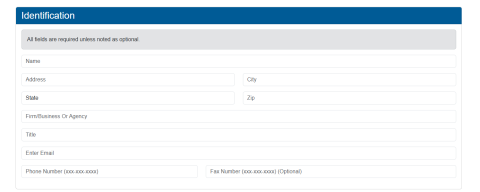
2. Representation
Skip this section unless you are completing the slip-on behalf of an organization.
Image
3. Position
Choose original Bill and select Proponent. Once you do this, you must click Add Position before moving forward.
Image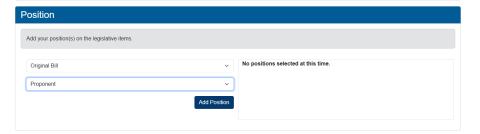
4. Select “record of Appearance Only” if you are only submitting a witness slip online.
Image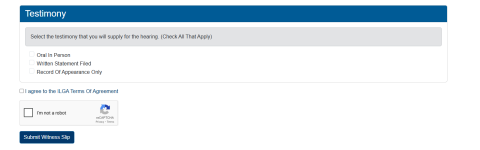
5 Click the “I’m not a robot” box and then click the Submit witness Slip button.